
Ask YouTube a question.Get an answer with a timestamp.
Summaries, Q&A, navigation — right inside YouTube.
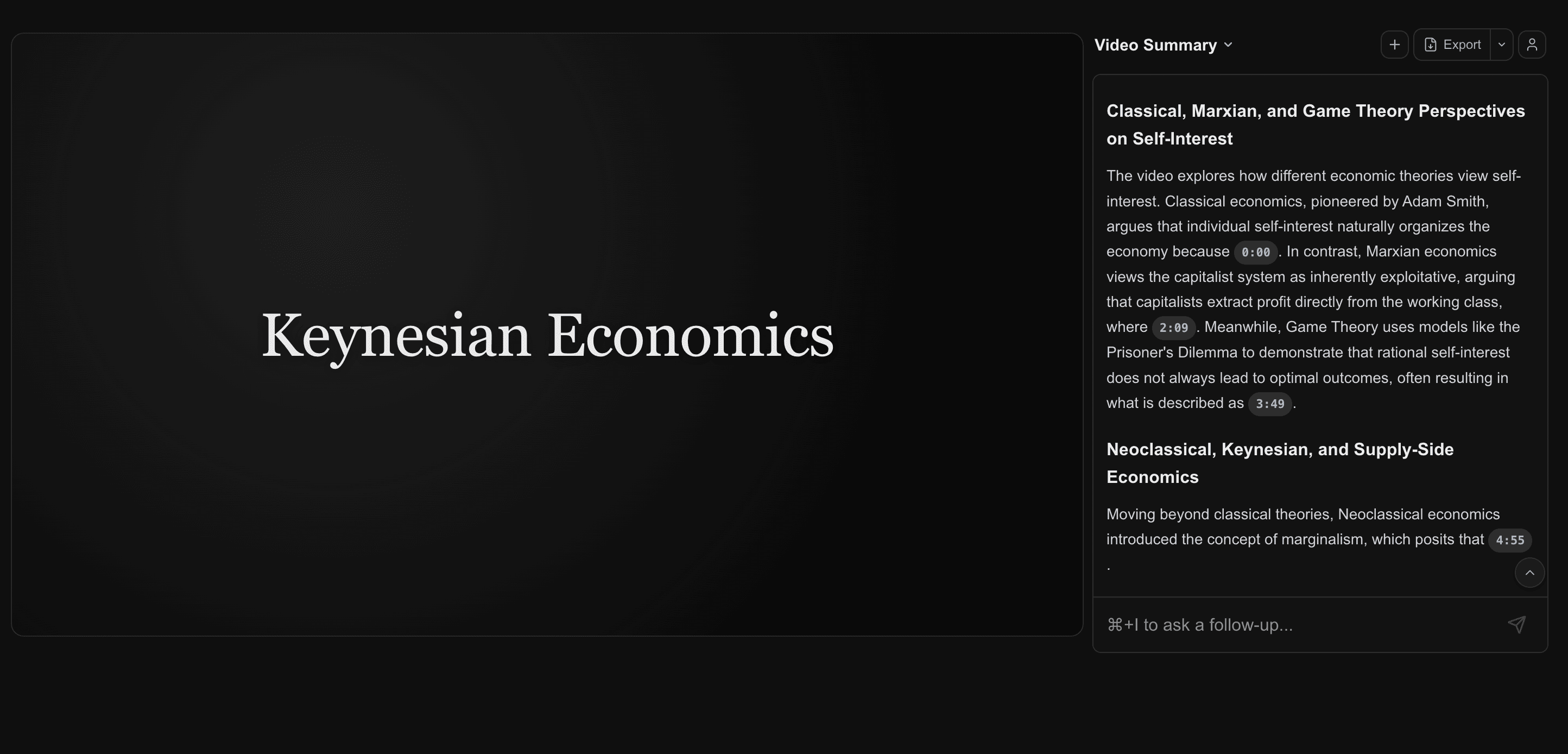
The Resensa panel sits next to the player — no tab switching
Everything you need to work with video — in one panel
From a simple summary to AI pipeline integration — pick what works for you.
Summary
Structured overview of the entire video — key points, sections, takeaways.
Summary
Structure navigation
Auto-generated table of contents with clickable sections. Jump to any part instantly.
Contents
Q&A with quotes
Ask a question about one or multiple videos — get an answer with the author's words and a clickable timestamp.
Conversation history
Save and resume past sessions for any video at any time.
MIT 18.06 — Linear Algebra
Y Combinator — Startup School
Lex Fridman — Sam Altman
MCP server
Connect Resensa to Claude Desktop, Cursor — as a data source for your AI agents.
Open a video — you're all set.
No complex setup, no copying text, no third-party services.
Install the extension
One click in the Chrome Web Store. Minimal permissions: YouTube only.
Open a video
Resensa analyzes the content automatically.
Explore
Ask a question, get an answer with a quote and timestamp, click — the video jumps to that moment.
Install in 30 seconds
One click in the Chrome Web Store. Updates automatically.
 Install from Chrome Web Store
Chrome, Edge, Brave, Opera, Yandex Browser, Vivaldi, Arc
Who uses Resensa
Find yourself — and see how Resensa changes your workflow.
Learn more efficiently
MIT lectures, Coursera courses, YouTube tutorials — instead of rewatching, create structured notes with quotes. Exam prep: ask 10 questions on a topic — get answers straight from the source.
- Notes with quotes from lectures in minutes
- Exam prep: Q&A on any topic
- Navigate long courses effortlessly